40 Essential Tools for Video Creators
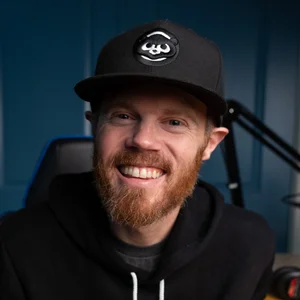
Welcome to the 2026 Creative Video Tips studio tour! I’m Chadwick, a DaVinci Resolve Master Trainer based in New York, and I specialize in high-end commercial finishing. Today, I’m breaking down 40 specific pieces of gear and software that I buy time and time again to keep my workflow running smoothly. Affiliate links on this page mean I earn a commission from qualifying purchases. This helps support my channel at no additional cost to you.
Top 10 Production Gear Essentials
Blackmagic Video Assist 12G Monitor: This monitor is perfect for recording uncompressed Blackmagic RAW directly from my Sony cinema cameras, and it also captures incredibly clean screen recordings in 4k ProRes LT right from my Mac Studio.
Sony FX-30 Camera: My go-to camera for YouTube talking heads because it has a built-in fan, never overheats, and has a solid XLR audio input.
Sony 10-20mm Power Zoom Lens: I love this lens because it allows for actual optical zooming that I can control remotely using an iOS app.
Sony XLR Handle: This handle lets you plug professional microphones directly into the FX-30 so you don't have to sync audio later. (Pro tip: you can often find these parted out on eBay for a fraction of the retail price).
Earthworks Ethos Condenser Mic: In my opinion, this is the best-sounding desk microphone out there; it captures high frequencies and intelligible speech beautifully without needing extra EQ. It’s also a US based company, which is a win too :)
Tentacle Sync E & Track E: The absolute best timecode generators and 32-bit float audio recorders with batteries that easily last an entire day of event shooting.
Sanken COS-11 Lavalier Mic: A top-tier, rugged lavalier microphone that resists clothing rustle—best worn hidden under clothes using a Bubblebee concealer and tape.
Amaran 60X Light: A versatile bi-color light that doesn't draw much power and can be controlled directly from a desktop app.
iFootage Round Base Light Stand: Features a heavy, sturdy base that takes up minimal floor space around the desk.
Watson LCD Battery Charger: A reliable charger I've used for over a decade that charges multiple Sony batteries at once and includes a convenient USB-out port.
Top 10 Post-Production Gear Essentials
Elgato Stream Decks: I use programmable macro buttons to quickly disable auto selects, sync locks, patch tracks in DaVinci Resolve 20, and even control my studio lights.
Synology RS1221+ NAS: A massive 100TB, 8-drive file server that provides speed, redundancy and is perfect for testing collaborative editing workflows.
DaVinci Resolve Editor Keyboard: An incredibly rugged keyboard—mine even survived a full cup of coffee being spilled on it—that features a mechanical clutch search dial for satisfying trimming.
DaVinci Resolve Micro Color Panel: A fantastic entry-level panel that saves desk space while offering advanced features like offset controls, windows, and tracking.
Beyerdynamic DT900 Pro X Headphones: Wired headphones that deliver a truly uncolored version of your audio, making them essential for catching QC mistakes.
Blackmagic UltraStudio Monitor 3G: This box bypasses macOS color management entirely via Thunderbolt, guaranteeing you see accurate pixel colors on your reference display.
Wacom Intuos Pro Medium Tablet: I've completely replaced my mouse with this tablet for finishing work; it relieves wrist stress and is amazing for Fusion painting and rotoscoping.
OWC Express 1M2 Thunderbolt Enclosure: An ultra-fast drive that hits 3000 M/Bps, making it perfect for running heavy Resolve cache files and EXRs smoothly.
Universal Audio Volt 2 Interface: A great audio interface that provides phantom power and features separate, independent volume dials for monitor speakers and headphones.
ART Accessories ProSplit: A niche but vital splitter box that cleanly routes a single XLR microphone to two different recording devices simultaneously.
Top 10 Paid Software Tools
DaVinci Resolve 20 Studio: The paid upgrade gives you incredible AI tools and premium noise reduction, while supporting the developers making the software better.
Mocha Pro: The gold standard for 2.5D tracking; it can solve almost any problematic shot and easily pays for itself in a single day.
Neat Video: A dedicated plugin that handles heavy-duty noise reduction slightly better and faster than native tools.
Wipp Templates - Editor Collection: A fantastic preset effects pack built for common video editing tasks that gives you instant access to slick marker, highlighter, and side-panel text effects.
Mr. Alex Tech - Magic Zoom Pro: A massive time-saver for tutorials that automates quick punch-ins and smooth easing without manual keyframing.
LucidLink: Think of it as a supercharged Dropbox built specifically to handle the demands of collaborative post-production over the internet.
QTChange: An essential utility for conform artists that injects necessary timecode and reel names directly into raw files for seamless offline-to-online workflows.
SparkFX SuperBins: A brilliant tool that automatically mirrors your hard drive's folder structures directly inside your DaVinci Resolve bins.
Cutting Club: A membership on my site that grants you access to all the raw footage used in my visual effects cleanup tutorials.
Jump Desktop: A highly secure remote desktop application that allows you to easily edit on a powerful studio desktop from your laptop, anywhere in the world.
Top 10 Free Software Tools
Thatcher Freeman's DCTLs: A GitHub treasure trove featuring a tool to import linear ACES plates into log, and a highly capable corner positioner for Fusion.
OpenDRT by jedypod: A fantastic DCTL color space transform that does a beautiful job moving your footage from a log state to a Rec.709 display state.
2499 DRT by Juan Pablo Zambrano: Another great DCTL alternative that yields incredibly nice-looking log-to-display conversions.
Seth Goldin's Backup Script: A must-have script for setting up automated, scheduled backups if you are utilizing DaVinci Resolve network-installed databases.
Academy Software Foundation OpenColorIO: The standard repository for grabbing OCIO configs, which are vital if you want your colors to match perfectly across Fusion and Affinity.
Pinionist Conform Tools: Excellent free scripts that automate renaming shots for visual effects via Resolve's API, and seamlessly remove sequence padding.
Maris Polis VFX Conform Tools: Features a powerful Lua script that intelligently scans multiple timelines to generate a single timeline with the best-length version of all your clips.
SamiRoto2 by Zarxrax: A completely free, segmentation-based AI rotoscoping tool that runs natively on your Mac—essentially a free alternative to Resolve's Magic Mask.
Reactor for Fusion: An indispensable package manager loaded with user-created Fusion tools.
Affinity: A newly completely free, lightweight alternative to Photoshop that handles high-resolution linear EXRs perfectly for thumbnail creation and image cleanup.
I hope checking out these niche and specific workflow items gave you some ideas for your own creative setup!